STIS & VIN Session
Reducing documentation search friction for 200K+ service technicians
The problem
After running a diagnostic scan, technicians struggled to find the right documentation, and lost what they had found whenever a job was paused.
What I did
Results
- 74% of technicians (23 of 31) said a VIN-based session would improve their workflow. Many reported that 80-90% of their searches already start from the VIN.
- An A/B test with 35 technicians settled the entry-point placement with data instead of opinion.
- Research became backend scope: search by diagnostic trouble codes.
- VIN Session, recently viewed and favorites shipped to production.
Note: Client data has been generalized to respect confidentiality. Metrics reflect real research outcomes; exact figures, participant identities, and interface branding have been abstracted.
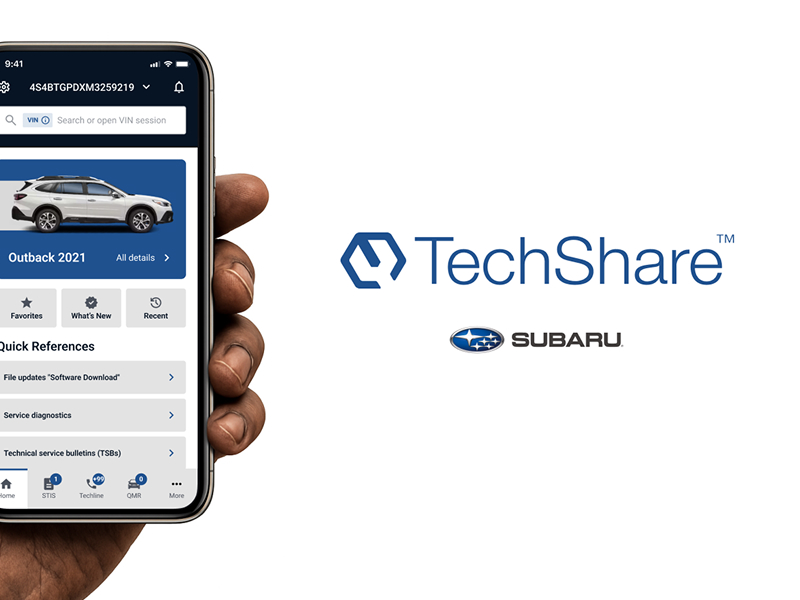
TechShare consolidates several of Subaru's service-technician tools into a single platform. STIS is its official documentation source — technical service bulletins, campaigns, repair manuals, and diagnostic references technicians rely on daily.
I worked within a rigid, established design system, with no scope for structural changes — the challenge wasn't "redesign the product," it was "find real friction inside real constraints, using research, not assumption."
The problem, found through mapping the full workflow
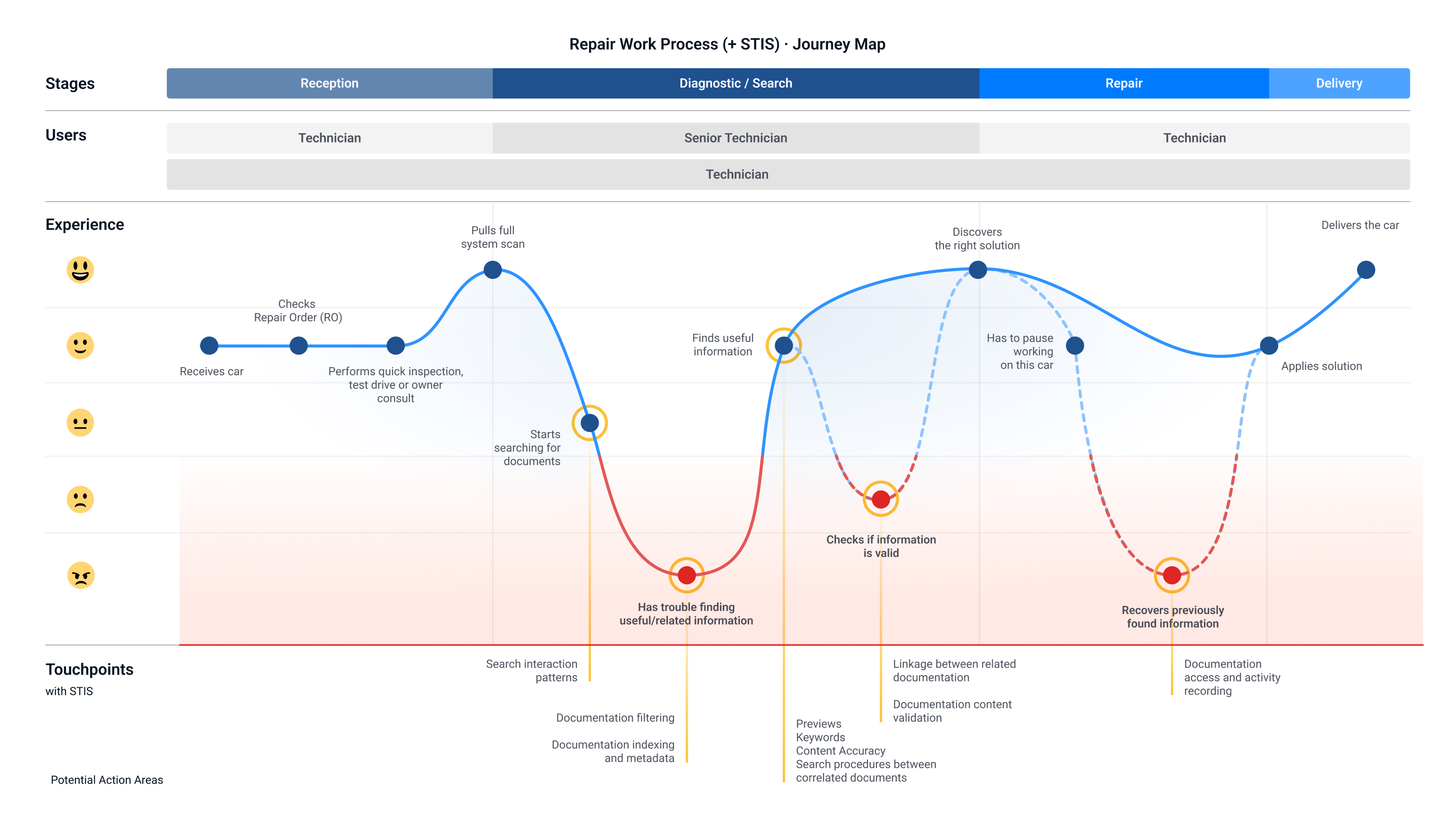
Before touching any screen, I mapped the technician's entire repair journey — from receiving the vehicle to delivery — across different technician seniority levels.
One moment stood out consistently: right after running a full diagnostic scan, technicians hit a wall trying to find the right documentation. That was the sharpest drop in the entire journey.
A second pattern surfaced independently in every interview: technicians routinely pause a job and resume it later — sometimes days later — and had no reliable way to pick up where they'd left off with the documents they'd already found.
What we learned about how technicians actually search
Rather than guessing at a fix, I ran interviews focused specifically on search behavior. A few findings reshaped my assumptions:
- Technicians never search single generic words — they use specific compound terms tied to the actual problem.
- They rely heavily on diagnostic trouble codes pulled directly from their scan tool as a search input — a workflow the system didn't support at all.
- Without a document-type filter visible up front, searches returned too much noise to be usable.
- The two document types technicians needed most — technical service bulletins and quick-reference tech tips — were consistently the hardest to locate.
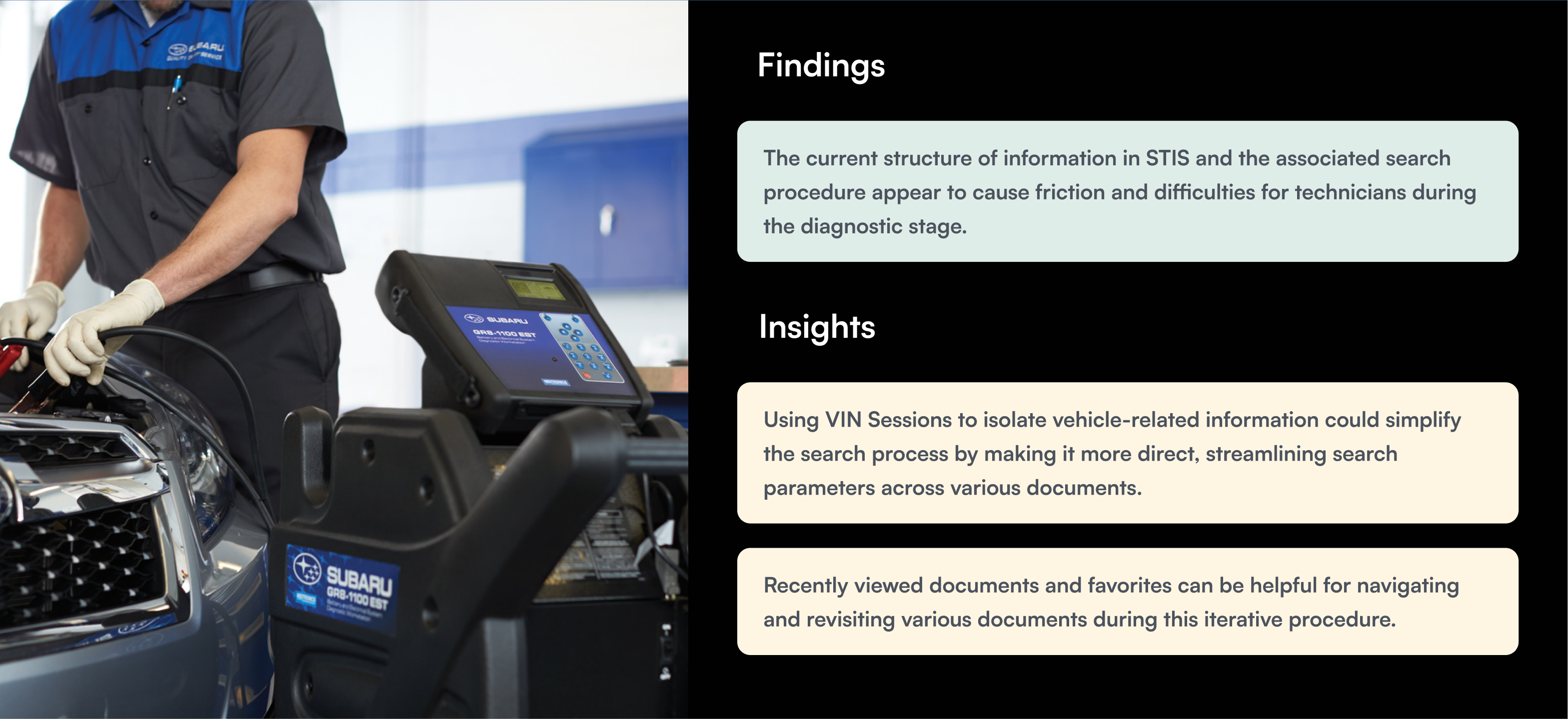
This pointed to a specific opportunity: let technicians isolate all documentation, cases, and reports tied to the exact vehicle in front of them, instead of searching a general, unfiltered library. That became the concept for VIN Session.
Validating the concept before designing anything
Before building a single screen, I ran a concept-validation survey with real technicians. 23 of 31 technicians (74%) responded positively, 6 were neutral because they hadn't used it yet, and only 1 was negative. One put it simply: “80-90% of my searches begin with the VIN information.”
One technician pushed back, raising a fair concern: making the system too VIN-dependent risked burying information if anything in the underlying data was incomplete. That objection directly shaped the final design — VIN Session became one fast path among several, never the only way in.
Letting data settle a design disagreement
Two placements for the VIN Session entry point were on the table — inside a persistent banner versus inside the header. Instead of resolving it by opinion, I ran an unmoderated comparative test, counterbalancing task order across two groups to rule out order bias.
The banner performed slightly better in both orders: fewer misclicks when shown first (34.7% vs 42.2%) and higher direct success when shown second (43.8% vs 35.7%). The bigger signal was the order effect: completion times dropped roughly threefold for whichever version came second, which is exactly why alternating the order mattered.
The most useful finding wasn't about visibility — it was about habit. Heatmaps showed people misclicking not because the button was hard to find, but because they instinctively tried to type the VIN into whichever field they already associated with searching, regardless of where the new entry point sat. That reframed the fix: the problem wasn't prominence, it was matching the entry point to where users already looked out of habit.
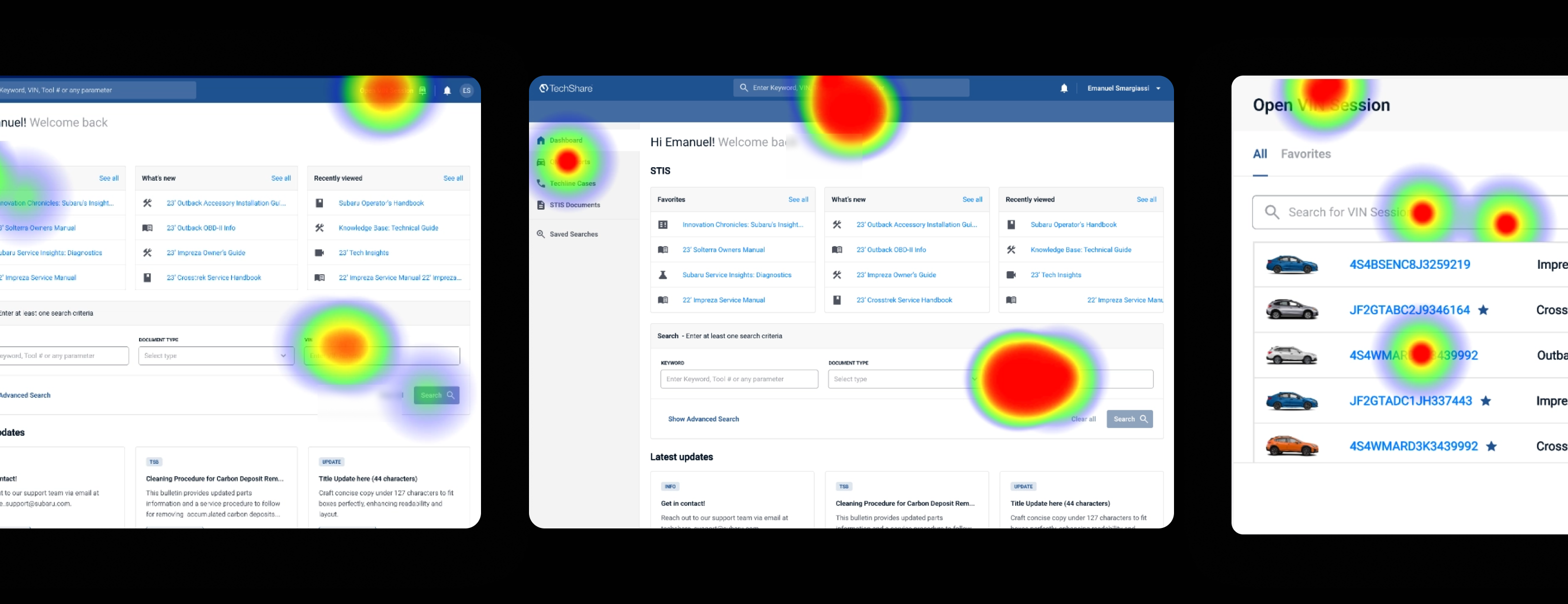
Naming and iconography for the feature went through the same process — tested with users rather than decided internally.
Usability testing with a realistic technician sample
I moderated testing with a deliberately mixed group: general diagnosis, major repairs, complex-repair specialists and a shop-floor manager, handling anywhere from a few complex jobs to over a dozen routine ones a day.
Across four structured tasks, one result stood out: when asked to start a search, not a single technician went directly into the STIS section itself — they split between two other, more familiar entry points already on their dashboard. The insight: STIS couldn't function as its own destination. It had to be reachable from wherever technicians already were.
Nearly everyone completed the rest of the flow (filtering by vehicle and document type, opening a VIN Session, returning to a previous one) with low reported effort. On the return task, technicians reached the goal through several different paths, which argued for keeping multiple valid entry points instead of forcing one.
And the pattern from the very first interviews held up under testing: every technician confirmed they regularly interrupt and resume jobs, and struggle to recover documents they'd already found — directly validating recently-viewed content and favorites as necessary, not optional, features.
Beyond VIN Session
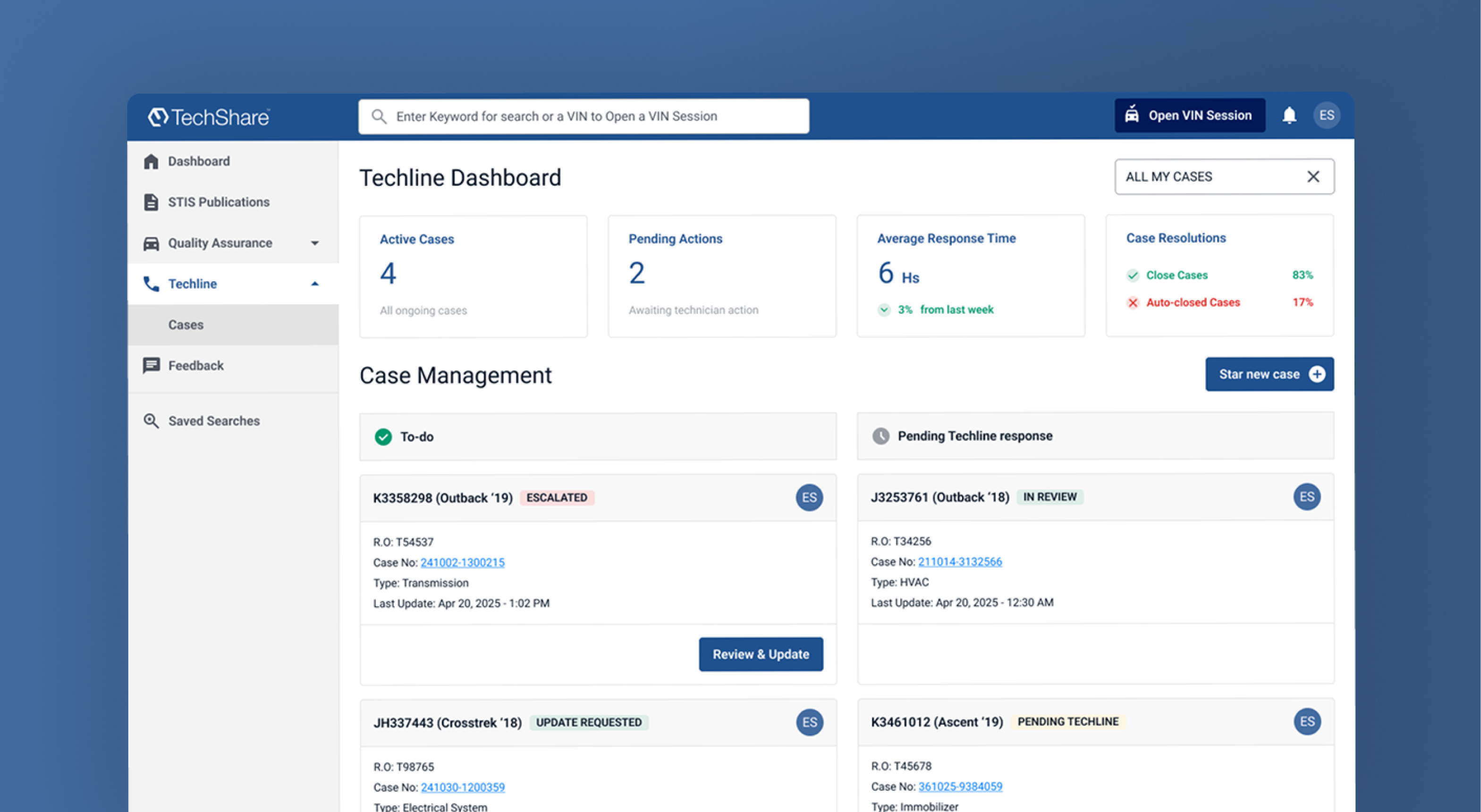
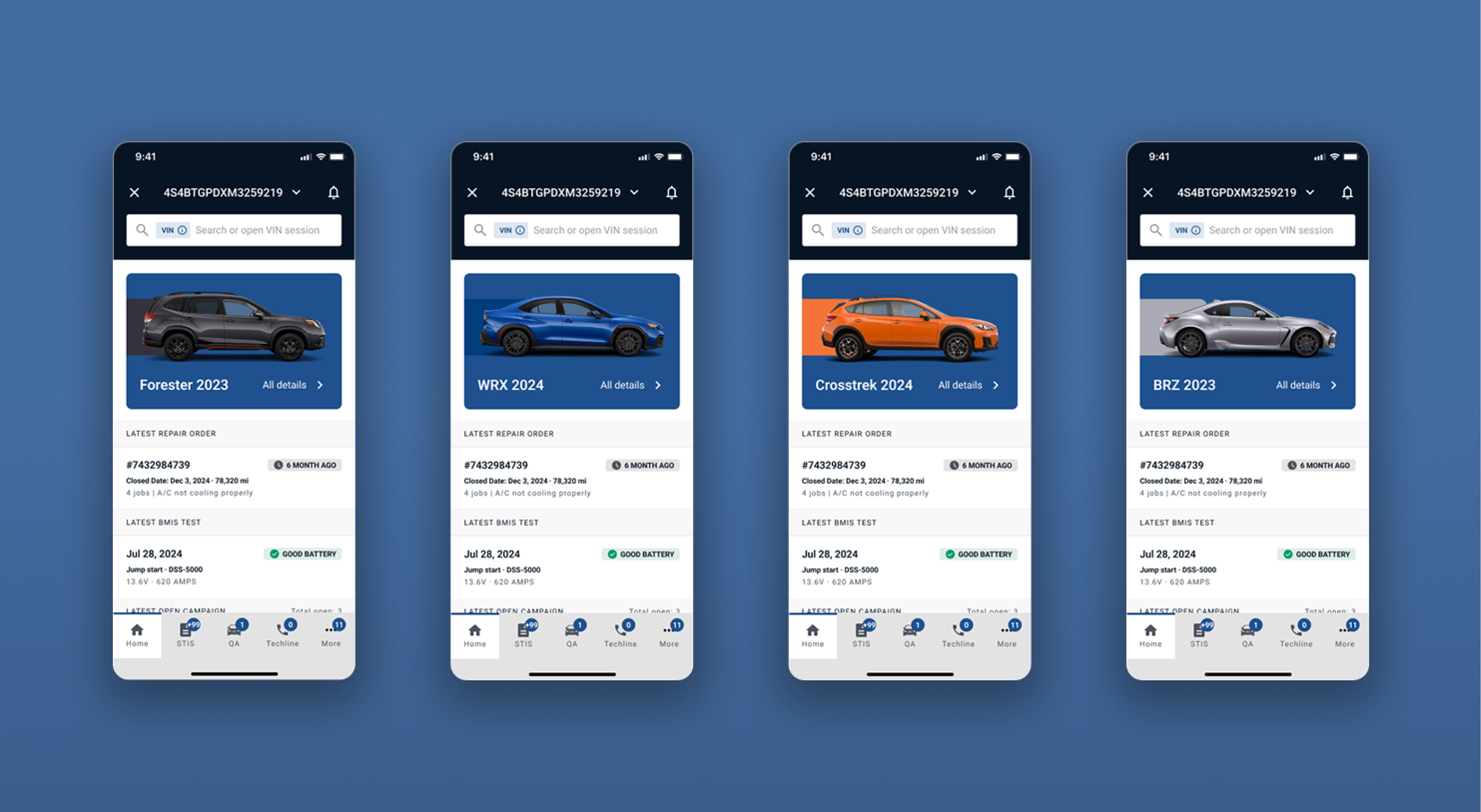
Within the same engagement I designed most of TechShare's core modules, all shipped to production: CID/CVN, CVT diagnostics, SSM5 integration with CAN bus diagrams, BMIS, campaigns, repair orders and Techline cases.
Outcome
The research settled three open questions with evidence instead of internal debate: where the entry point lives, what the feature is called and which icon represents it. It also confirmed that recently viewed and favorites address a real interruption technicians face every day.
The lesson I keep: when you can't change the system, find exactly where friction happens, test why before committing to a fix, and validate it with the people who will use it, even in small, low-budget rounds.
Process & role
My involvement went beyond research and UI. I sat with product and engineering to define requirements: what a feature included, what stayed out of scope and what the backend needed to support. One of those requirements came straight out of research:
- The discovery that technicians already searched using diagnostic trouble codes became a backend requirement: the search engine needed to index and match against codes it hadn't supported before.
I documented and tracked this work across Notion, Jira, and Confluence, working alongside the development team rather than handing off a finished design.